
What has always made Resonate stand out is our focus on discovery: interviewing and observing users, understanding their problems and needs, identifying opportunities, shaping a concept and validating it before recommending how to solve a certain problem, and moving further along in the process: design and development.
Somewhere around the end of 2025, we began replacing traditional Figma prototypes with working concepts built using AI tools such as Claude Design, Claude Code, and Figma Make. And the difference we noticed between the “old” and “new” ways of working is substantial.
Not only in the speed of prototyping and the discovery process as a whole, which has improved significantly, but also in the quality of insights we can gather by letting users simply use the product. More precisely, the working concept.
30-second version
- A working concept closely simulates the future product, where users can complete real tasks in a relevant context.
- It lets us observe behavior and test complex workflows to gain insights into wrong assumptions, missing features, and UX friction points
- In our experience, working concepts can be created 5–10× faster compared with interactive Figma prototypes, while providing more valuable insights at the same time
- The prototype is becoming easier to build. Understanding the problem, shaping the right concept, and validating it properly is still where most of the value sits
What is the working concept and why does it matter?
It is a concept built with AI tools such as Claude Code, Claude Design or Figma Make. It looks and behaves like a real product.
- Full interaction: Users can navigate freely, make choices, enter real information, and complete their tasks much as they would do in the real product.
- Realistic data: Real or simulated data that makes the experience feel close to the actual context of use.
- One or multiple flows: It can easily cover a single flow, multiple flows within one product, or workflows spanning across different systems.
- Fast to build and iterate: In our experience, working concepts can be 5–10× faster to create and change than interactive Figma prototypes, reducing the time from the initial concept to a working concept in users’ hands.
What really matters is what we can learn from it:
- Observe and analyse behavior instead of asking for opinions: Users can make choices, get stuck, ignore things, and find their own way through instead of following a predefined click path.
- Validate complex workflows: Workflows that span across different systems can easily be simulated and tested. This is especially important in complex enterprise environments when optimizing processes.
- Discover and correct assumptions earlier: Missing steps and workflow problems are clearly visible and easy to fix in this phase. Missing or unnecessary functionalities as well.
- Test multiple variants: Different solutions can be quickly conceptualized and validated with target users, ensuring we decide on the best-performing one.
When to use the working concept
The use cases for when to use a working concept are similar to those when we were using traditional prototypes. The difference is that a working concept lets us test more of the actual behavior and workflow, giving us more insights and de-risking the investment before moving to the full design and development phase.
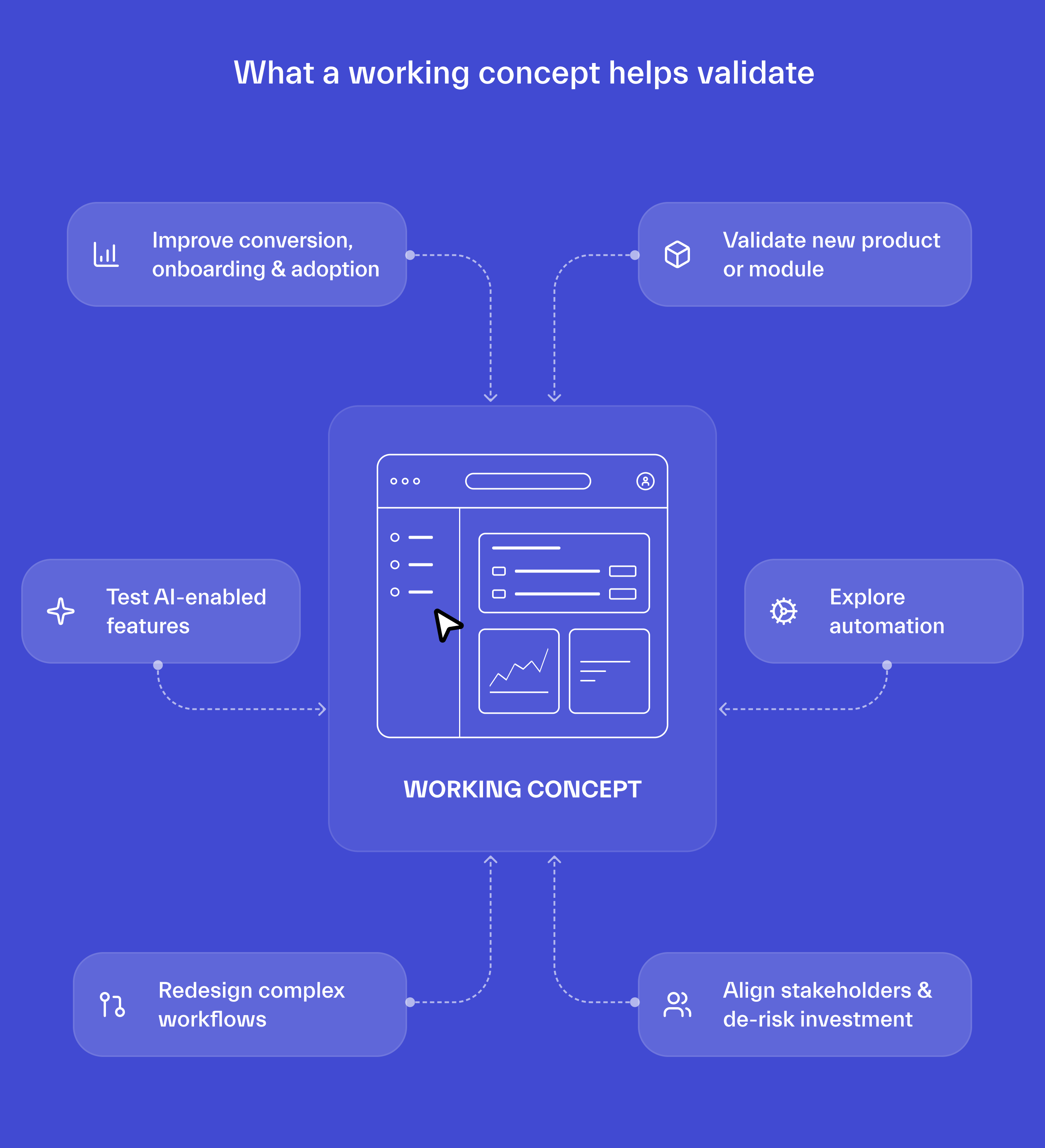
Below, we marked each of the use cases, was it improved, or is it a new one, that wasn’t possible or easy to simulate in the “old” way of working.
IMPROVED: Increase conversion, improve onboarding and adoption
Test different ways to help users experience value for the first time, and continue getting value over time. Working concepts also make it easier, particularly with consumer products, to extend moderated interviews with larger-scale unmoderated testing and behavioral measurement.
IMPROVED: Validate a new product or module
Let target users experience the new product rather than just comment on screens and predefined paths. Give them a realistic task, let them try to complete it, and observe whether the new concept actually improves their experience.
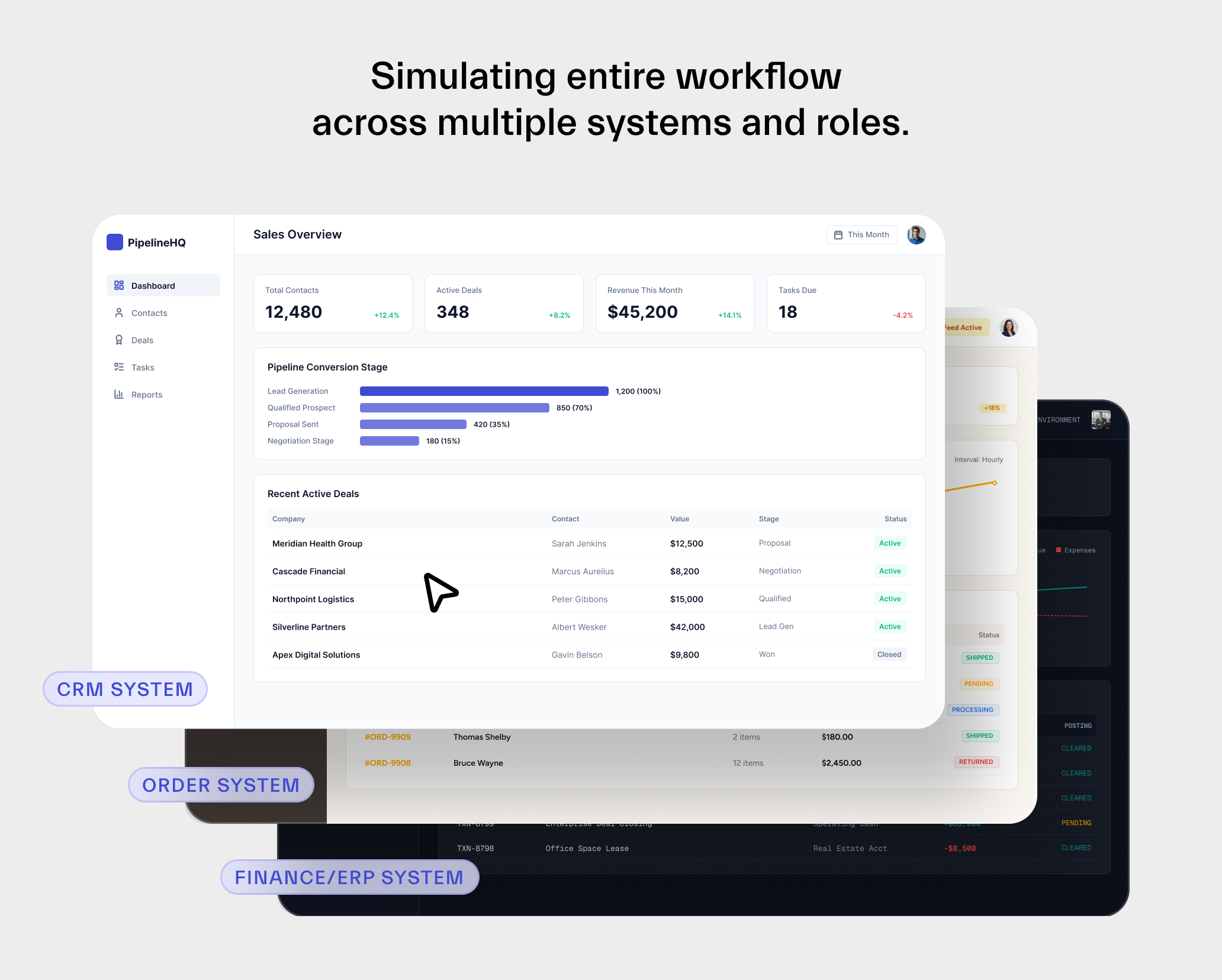
NEW: Redesign complex internal workflows
This is a completely new use case that before wasn’t possible. Now we can simulate work across different internal systems such as CRM, ERP, reservation systems and spreadsheets, involving multiple roles and information handoffs.
What used to be diagrams, are now working flows, that can be visualized and validated. Do they really increase productivity, solve existing bottlenecks, cover all edge cases, and do employees find them intuitive to use? With such a concept, before the new workflow is implemented, we can measure its outcomes.
This was maybe the biggest missing piece in the digital transformation of internal workflows till now.
IMPROVED: Explore automation
Show users and stakeholders what a different way of working would actually feel like. Test which parts can be automated, where automation actually removes work, and where human judgment is still required.
NEW: Test AI-enabled features
This was difficult with the “old” way of working. With a working concept, we can realistically simulate assistants, recommendations and agents, then observe if users trust them, check their output, override them or simply ignore them. This is possible because in the background we can use real models, on top of realistic data, and design their behaviour.
IMPROVED: Align stakeholders and reduce risk on larger product investments
A working user-validated concept gives to business, product, design and engineering something visual and tangible to align around. It creates a much clearer foundation for defining scope, writing specifications, estimating development effort and discussing budgets with internal teams or vendors.
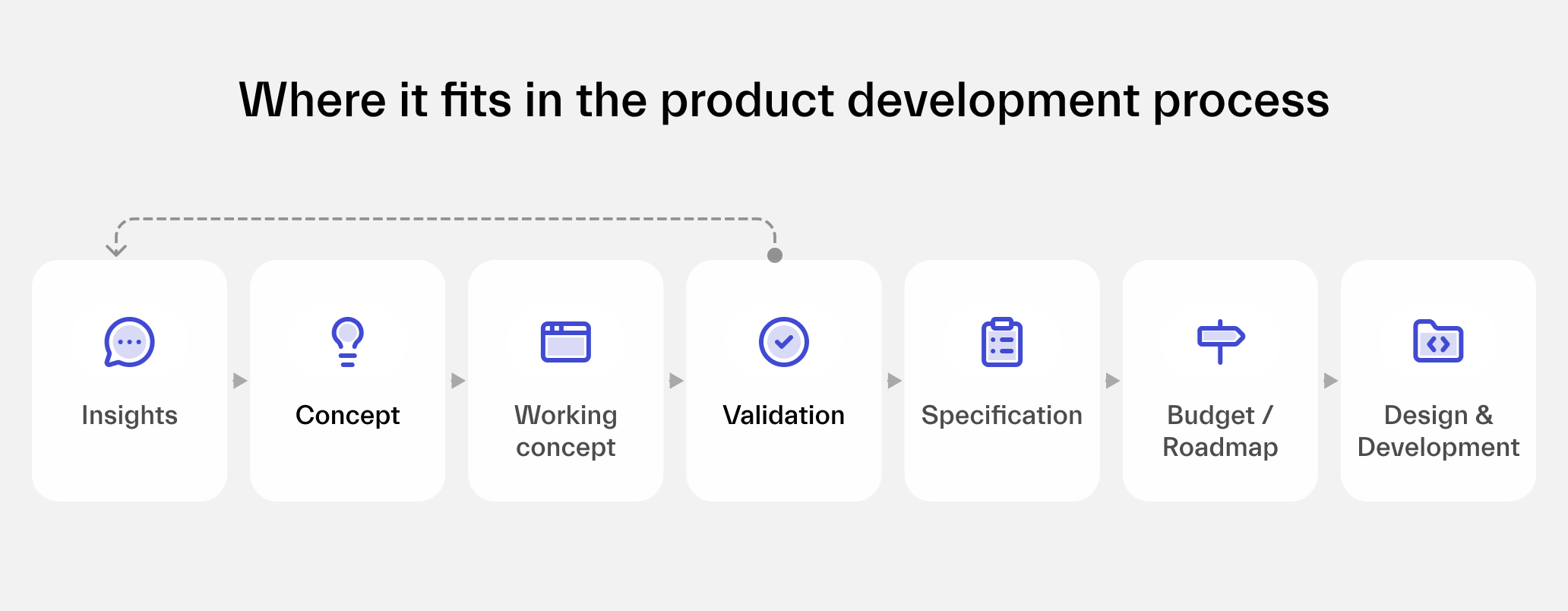
Where it fits in the product development process
It is easy to start thinking that discovery is now simple. You write a prompt, get a concept, make a decision.
But it isn’t like that.
A working concept is only as good as the insight behind it, the judgment and experience used to shape it, and the way it is validated. That’s why it’s still important to follow a proper, proven process.
Start with insights. User interviews and observation help us understand the real problems, needs and behaviors. Without this, everything that follows is just a better-looking guess.
Then shape the concept. This still requires product and design thinking. Giving raw research findings to an AI tool usually produces something plausible, but generic. It lacks prioritisation, context, unique point of view and is often too complex and bloated. This is why concepting in Figma, Miro, or just on paper, combined with a lot of thinking, still carries the biggest value.
“Giving raw research findings to any AI tool usually produces something plausible, but generic. It lacks prioritisation, context, unique point of view and is often too complex and bloated.”
Build bottom-up. We start from the basic concept, focused on one flow, and then gradually add elements such as data, different states, supporting functionality, optimizing the flow, etc.
Then validate. The method depends on what we need to learn. It can range from moderated one-to-one interviews to unmoderated testing, analysing behavioral data and testing different alternatives in parallel.
Wrapping up
AI tools have dramatically reduced the cost and effort required to make an idea feel real.
But the real gain is not prototyping speed. It is the ability to make better-informed product decisions while changing your mind is still cheap.


